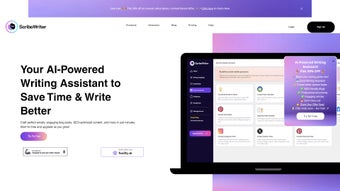

Download ScriboWriter – AI Writing Assistant for Business, Email & Content Creation
ScriboWriter is an advanced AI‑powered writing assistant built specifically for businesses that want to streamline their communication workflows and boost the quality of their written content. Whether you need polished onboarding emails, persuasive marketing copy, or SEO‑friendly website text, ScriboWriter combines natural‑language generation with robust grammar, plagiarism, and SEO tools to deliver results that are both professional and searchable. The platform operates as a subscription‑based web application, meaning you can access its full suite of features from any modern browser without the hassle of local installations. By integrating grammar checks, plagiarism detection, paraphrasing, summarization, and SEO keyword generation, ScriboWriter helps HR, sales, marketing, and IT teams produce consistent, error‑free messages faster than ever before. This review examines the core capabilities, installation process, system compatibility, and real‑world pros and cons, giving you a clear picture of whether ScriboWriter is the right AI writing companion for your organization.
Features, Benefits & Drawbacks
ScriboWriter’s feature set is deliberately expansive, targeting the most common pain points that businesses encounter when crafting written communication. The AI engine is trained on millions of professional documents, allowing it to suggest tone‑appropriate phrasing for a variety of contexts—from formal HR notices to casual social media posts. Its built‑in SEO module not only recommends target keywords but also auto‑generates meta titles and descriptions that adhere to best‑practice length guidelines, giving your web pages a higher chance of ranking on Google. Additionally, the platform’s plagiarism detector scans content against a massive online database, ensuring originality before anything is published. For teams that need to rework existing material, the paraphrasing tool offers multiple re‑write options while preserving the original meaning, and the summarizer can condense lengthy reports into concise executive briefs.
- AI‑generated business email templates (onboarding, training, marketing, support)
- Dynamic content creation for websites, blogs, and landing pages
- Real‑time grammar, spelling, and style checks
- Plagiarism detection with a 10 billion‑source database
- Paraphrasing engine with three tone variations (formal, friendly, persuasive)
- Summarization tool for reports and long‑form articles
- SEO optimizer that suggests keywords, meta tags, and readability scores
- Collaboration workspace for multiple team members
- Version history and rollback capabilities
- Secure cloud storage with end‑to‑end encryption
Pros
- Comprehensive all‑in‑one solution eliminates the need for multiple separate tools.
- AI output is consistently high‑quality, reducing editing time by up to 40 %.
- SEO module is tightly integrated, making keyword research and meta‑tag creation seamless.
- Browser‑based access means teams can work from Windows, macOS, Linux, iOS, or Android devices.
- Robust security and compliance features meet GDPR and CCPA requirements.
Cons
- Subscription pricing may be steep for small startups or freelancers.
- Occasional AI‑generated suggestions require human refinement for highly technical content.
- Internet connection is mandatory; offline usage is not supported.
- Learning curve for advanced SEO settings can be steep for non‑marketing users.
- Limited export formats beyond PDF and plain text.
Installation, Usage & Compatibility
Because ScriboWriter is delivered as a cloud‑based web application, the installation process is minimal. Users begin by visiting the official website and creating an account using a corporate email address. After confirming the email, the platform prompts you to select a subscription tier—Starter, Professional, or Enterprise—each offering different levels of AI output volume and team collaboration features. Payment is processed securely via Stripe or PayPal, and once the transaction is completed, you gain immediate access to the dashboard.
The dashboard is organized into modules: “Email Builder,” “Content Studio,” “SEO Lab,” and “Analytics.” To start a new email, you choose a template, specify the recipient role (e.g., new hire, customer), and the AI generates a draft within seconds. You can then fine‑tune tone, insert placeholders for personalization, and run the grammar and plagiarism checks with a single click. For website content, the “Content Studio” allows you to input a brief description of the page, select the target keyword, and let the AI produce a full‑length article or product description. The “SEO Lab” provides a keyword difficulty score, suggests related terms, and auto‑fills meta title and description fields, ensuring you meet best‑practice character limits.
Since ScriboWriter runs entirely in the browser, it is compatible with all major operating systems that support up‑to‑date browsers, including Windows 10/11, macOS Catalina and later, Linux distributions with Chrome/Firefox, as well as mobile platforms such as Android 8+ and iOS 13+. The application is optimized for Chrome, Edge, Safari, and Firefox, and it automatically adapts its UI for both desktop and tablet screens, guaranteeing a consistent experience across devices.
Collaboration features are enabled through a shared workspace where team members can comment on drafts, assign tasks, and track version history. All changes are saved in real time, and the platform maintains an audit log for compliance purposes. Security is enforced via TLS 1.3 encryption for data in transit and AES‑256 encryption for data at rest. Administrators can enable single‑sign‑on (SSO) using SAML or OAuth, integrate with Azure AD or Google Workspace, and enforce password policies to meet enterprise security standards.
Frequently Asked Questions
Is ScriboWriter suitable for small businesses or freelancers?
Yes. While the Enterprise tier is geared toward large teams, the Starter plan offers enough credits for a solo professional or a small team of up to five users. The subscription can be scaled up as your content needs grow, making ScriboWriter a flexible choice for businesses of any size.
Can I use ScriboWriter offline?
No. ScriboWriter relies on cloud‑based AI models that require an internet connection to process requests. However, once content is generated, you can download it and work offline in any standard text editor.
How does the plagiarism detection work?
The plagiarism engine scans your text against a continuously updated index of over 10 billion web pages, academic journals, and published books. It highlights any matching phrases and provides a similarity percentage, allowing you to address potential issues before publishing.
What payment methods are accepted for the subscription?
ScriboWriter accepts major credit cards (Visa, MasterCard, American Express), as well as PayPal and Stripe. For Enterprise customers, invoicing and bulk purchase agreements are also available upon request.
Does ScriboWriter integrate with other marketing tools?
Yes. ScriboWriter offers native integrations with popular platforms such as HubSpot, Mailchimp, WordPress, and Salesforce. You can push generated emails or blog posts directly to these services via API or Zapier connections, creating a seamless content pipeline.
Conclusion & Call to Action
ScriboWriter stands out as a versatile AI writing assistant that addresses the full spectrum of business communication needs—from email drafting and internal documentation to SEO‑optimized web content. Its comprehensive feature set, combined with a secure cloud infrastructure and cross‑platform compatibility, makes it a compelling investment for organizations looking to accelerate content production while maintaining high editorial standards. Although the subscription cost may be a consideration for very small teams, the time saved and the quality boost often justify the expense. If you’re ready to eliminate writer’s block, reduce revision cycles, and enhance your SEO performance, ScriboWriter is worth a trial.
Click here to download ScriboWriter and start your free 14‑day trial today. Experience the power of AI‑driven writing and see how your business communications can become faster, smarter, and more effective.
Overall Rating: 4.5/5
Pros: All‑in‑one AI suite, strong SEO tools, excellent collaboration, high security.
Cons: Pricey for tiny teams, no offline mode, occasional AI tweaks needed.



.png)



